
Introduction: The Dawn of AI Art
Have you ever imagined a world where you could conjure stunning, museum-quality artwork simply by describing it in words? A world where the barrier between a fleeting thought and a tangible, visual reality is just a sentence away. This isn’t a scene from a science fiction movie; it’s the reality we live in today, thanks to the revolutionary power of generative AI.
For decades, digital art required a steep learning curve—mastering complex software like Adobe Photoshop, Illustrator, or Blender. It was a world reserved for those with the time, resources, and patience to learn intricate tools. But a paradigm shift is underway, and at the heart of this creative revolution is an artificial intelligence platform called Midjourney AI.
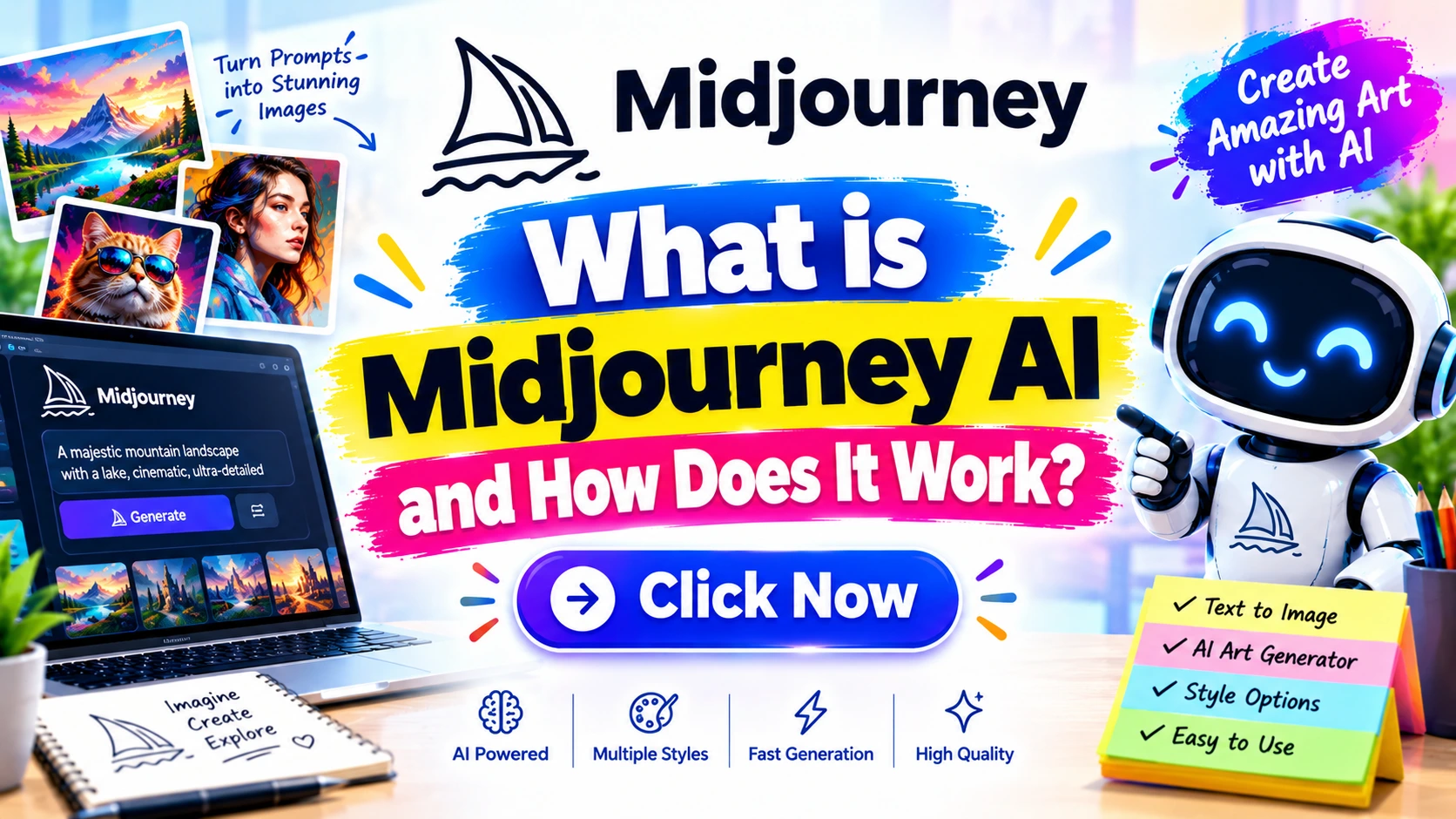
This guide is your definitive deep dive into this fascinating technology. We’ll answer the fundamental question: What is Midjourney AI and how does it work? More than that, we’ll explore the technology that powers it, the art and science of crafting the perfect prompt, its practical applications across industries, and the ethical questions it raises. Whether you’re an artist, a marketer, a developer, or simply a curious mind, this comprehensive article will equip you with a deep understanding of one of the most impactful creative tools of our time.
The Core Concept: What is Midjourney AI? 
At its heart, Midjourney is a generative AI program that creates images from textual descriptions, known as “prompts.” It’s a type of “text-to-image” model. You type a phrase like “a surrealist painting of a clock melting over a barren landscape, in the style of Salvador Dalí,” and the AI, after a brief processing period, generates four unique images that visually interpret your prompt.
Defining Midjourney: More Than Just a Tool
Unlike traditional art software, Midjourney isn’t a tool you use to draw or paint. It’s more like a creative partner. You’re not the one holding the digital brush; you’re the art director, the visionary, the one providing the concept. The AI is the tireless, infinitely skilled illustrator who brings your vision to life.
Initially launched in 2022 by a research lab called Midjourney, Inc., the platform gained massive popularity for the high artistic quality, painterly aesthetics, and coherent detail of its generated images. Unlike many other AI image generators, Midjourney operates primarily through a Discord bot, a unique feature that has fostered a massive, vibrant, and collaborative community of artists and creators.
The Brains Behind the Art: The Technology
While the inner workings are incredibly complex, the core technology can be broken down into a few key concepts:
- Diffusion Models: This is the engine that drives Midjourney. Imagine you have a beautiful, clear photograph. Now, imagine slowly adding random “noise” (like static on a TV screen) to it, one tiny step at a time, until the image is completely unrecognizable. A diffusion model is trained to do the exact opposite. It learns to take a completely noisy, static-filled image and, step-by-step, reverse the process, “denoising” it to create a clear picture. The model is trained on billions of image-text pairs so it can learn to predict what a clear image should look like based on the text prompt it’s given.
- Deep Learning and Neural Networks: Midjourney uses massive neural networks, which are computational models inspired by the human brain. These networks have billions of parameters and are trained on an enormous dataset of images and their corresponding text descriptions. By analyzing this data, the model learns the intricate relationships between words and visual concepts—what a “cat” looks like, what “Renaissance style” means, what “cinematic lighting” does to a scene, and so on.
- Natural Language Processing (NLP): When you submit a prompt, the Midjourney bot first uses NLP to interpret your words. It breaks down your sentence into a semantic representation, understanding not just the literal meaning of the words but also the context and relationships between them.
How Midjourney AI Works: A Step-by-Step Breakdown 
The process from a typed thought to a stunning image is a fascinating journey through several stages of complex computation. Here’s a simplified, step-by-step breakdown of the journey.
Step 1: The User’s Spark – Crafting the Prompt
Everything starts with you. You open Discord, go to a #newbies channel, and type /imagine followed by your prompt. This is the seed. For example: /imagine prompt: a majestic white wolf with glowing blue eyes standing on a snowy mountain peak under the aurora borealis, photorealistic, 8k, cinematic lighting --ar 16:9.
The quality of your prompt directly influences the quality of the output. A vague prompt like “a wolf” will yield generic results, while a detailed prompt like the one above guides the AI toward a specific vision.
Step 2: The Digital Ear – Natural Language Processing (NLP)
The Midjourney bot receives your text. It doesn’t “see” words like we do. Instead, it uses its NLP component to convert your prompt into a mathematical representation called a vector embedding. This is like a universal language that the AI understands. The NLP model ensures it distinguishes between a “wolf howling at the moon” and “a man howling at a wolf.” It grasps the nuances of your request.
Step 3: The Artisan’s Brain – The Diffusion Model
This is the magic. The AI now has your prompt (in numerical form) and a starting point: a canvas of pure, random noise. The diffusion model’s job is to transform this noise into an image that matches your prompt. It does this in a series of steps:
- Initial Pass: It looks at the random noise and your prompt’s vector and takes a first small step toward creating a coherent image. It might start by forming rough shapes and color blobs that correspond to “snowy mountain” and “white wolf.”
- Iterative Denoising: With each step, it “denoises” the image a little more, guided by your prompt. It refines the details, sharpens the edges, adds textures (fur, snow, stars), and corrects the lighting. This is an iterative process where the AI constantly asks itself: “Given what I have now, and the prompt I was given, what should the next, slightly clearer version look like?”
- Result Generation: After a set number of these denoising steps, the process stops, and the final image is rendered.
This is where the latent space comes in. The AI doesn’t work on a full-resolution canvas from the start. It works in a compressed, abstract “latent space,” where an image is represented by a set of numbers. This is much faster and more efficient. Once the image is refined in the latent space, a decoder network “translates” it back into the final, high-resolution pixels we see.
Step 4: The Refinement Process – Iteration and Upscaling
Midjourney initially provides a grid of four images, each a slightly different interpretation of your prompt. This gives you, the user, creative control. You can then:
- Upscale: If you like one of the four images, you can click ‘U’ to generate a higher-resolution version.
- Vary: You can click ‘V’ to generate four new variations based on the specific image you chose, exploring that particular aesthetic further.
- Remix: You can “remix” an image, allowing you to tweak your original prompt and see how it changes a specific result.
This iterative feedback loop is a core part of the Midjourney workflow, allowing you to guide the AI toward your perfect image.
Step 5: The Final Masterpiece – Image Delivery
Once you are satisfied with a result and have upscaled it (e.g., using an upscale feature like ‘Subtle’ or ‘Creative’), the image is ready to be downloaded and used for your project. The entire process, from prompt to an initial grid of images, typically takes under a minute, showcasing the incredible speed of modern generative AI.
Key Features and Parameters of Midjourney 
To master Midjourney, you need to understand its “language” of parameters. These are special commands you add to the end of your prompt to control the output more precisely.
- Aspect Ratios (
--ar): This controls the shape of your image. The default is 1:1 (square).--ar 16:9gives you a widescreen landscape image, perfect for wallpapers or YouTube thumbnails.--ar 9:16is for vertical images like Instagram stories or phone wallpapers.--ar 3:2is a classic photography ratio. - Stylization (
--stylizeor--s): This parameter, with a value from 0 to 1000 (with--s 100being the default), controls how artistic and “opinionated” the AI is. A low stylize value (e.g.,--s 50) will make the AI stick very closely to the literal prompt. A high value (e.g.,--s 750) will give the AI more creative freedom, often resulting in more beautiful, aesthetically pleasing, but potentially less literal interpretations. - Chaos (
--chaosor--c): With a value from 0 to 100, this parameter controls the variety within the initial grid of four images. A low chaos value (e.g.,--c 5) will produce four very similar images. A high chaos value (e.g.,--c 50) will give you four wildly different interpretations of your prompt, great for brainstorming and exploring unexpected creative directions. - Negative Prompts (
--no): This is a powerful tool to tell the AI what you don’t want. For example,--no peoplewill try to generate images without any people.--no text, watermarksis useful for creating clean visuals for commercial use. - Image Weight (
--iw): When you use an image as part of your prompt (an “image prompt”), this parameter controls the influence it has on the final output. A higher--iwvalue means the final image will look more like the image prompt.
Expert Tip: Don’t just use one parameter at a time. The real power comes from combining them. Try a prompt with a specific aspect ratio, high chaos for ideas, and a negative prompt to remove unwanted elements: /imagine a futuristic car in a neon-lit city --ar 16:9 --c 50 --no people.
Practical Use Cases: Where Midjourney Shines 
Midjourney is not just a toy for artists; it’s a versatile tool with practical applications across a wide range of industries.
Marketing and Advertising
Agencies and marketing professionals use Midjourney to quickly generate concept art for ad campaigns, create unique visuals for social media posts, and even design product mockups. It drastically reduces the time and cost associated with traditional photoshoots or illustration commissions.
Real-life Example: A small startup selling eco-friendly skincare products might not have the budget for a professional photoshoot. Instead, they can use Midjourney to generate stunning, natural-looking images of their product (or a generic bottle) on a bed of moss in a sunlit forest, creating a high-end brand feel at a fraction of the cost.
Concept Art and Game Design
Game developers and filmmakers use Midjourney to brainstorm and visualize characters, environments, and props. Instead of spending days sketching, artists can generate dozens of unique concepts in an hour, iterating on different styles and ideas.
Architecture and Interior Design
Architects and interior designers can use Midjourney to create photorealistic renderings of their designs. By feeding it a description of a room—”a minimalist living room with a large window, a grey sofa, and an oak coffee table”—they can visualize the space before a single brick is laid.
Content Creation and Blogging
Content creators, like myself, use Midjourney to generate unique featured images for their articles, create visuals for infographics, and add a touch of professionalism and originality to their content. This eliminates the reliance on generic stock photos, which is a significant advantage for SEO and brand building.
Expert Tip: Try combining the URL of your website to see how Midjourney blends it with your prompt. I have used this technique to test logo ideas and branding concepts for “Niaz Fix” by using the prompt “a minimalist logo for a tech repair company, based on the style of [website URL]”.
The Advantages and Disadvantages of Midjourney 
Like any powerful technology, Midjourney has its strengths and weaknesses.
Advantages
- High-Quality, Artistic Outputs: Midjourney is renowned for its exceptional aesthetic quality. Its images are often described as more artistic and painterly than those from other AI generators, making it a favorite among artists.
- Speed and Efficiency: It can generate a complex, high-resolution image in under a minute, a task that would take a human artist hours or even days.
- Accessibility: It lowers the barrier to entry for creating professional-looking visuals. You don’t need to know how to draw; you just need to know how to describe what you want.
- Inspiration and Brainstorming: It serves as an invaluable tool for overcoming creative block, generating endless variations and ideas to spark your own creativity.
- Strong Community: The Discord-based platform fosters a strong sense of community. Users can share their prompts, learn from each other, and collaborate in real-time.
Disadvantages
- Lack of Fine-Grained Control: While parameters help, you can’t manually position every element in the scene like you can in Photoshop. There’s a degree of randomness to the process.
- Ethical and Copyright Concerns: Midjourney’s model is trained on a massive dataset of existing images from the internet, many of which are copyrighted. This has led to ongoing debates and lawsuits regarding copyright infringement and the ethics of using such data.
- Inconsistency: Getting the exact same character or setting to appear in multiple different scenes is challenging. While features are improving, consistency remains a hurdle for long-form projects.
- Bias: Because the AI learns from internet data, it can reproduce and amplify societal biases present in that data (e.g., often defaulting to “doctor” as a male and “nurse” as a female unless specified).
- Text Rendering: Historically, Midjourney has struggled with generating coherent, correctly spelled text. While it’s improving, it’s still not its strong suit.
Safety Warnings and Ethical Considerations 
The use of AI image generators brings with it significant ethical and legal responsibilities.
- Copyright and Ownership: This is the biggest gray area. You cannot claim copyright over an image that an AI created. As the user, you are granted a license by Midjourney to use the images you create (depending on your subscription tier), but you don’t “own” the copyright. You cannot file a copyright registration for it. Furthermore, the question of whether the AI’s training data infringes on the rights of human artists is a major legal battle currently being fought in courts.
- Bias and Stereotypes: Be mindful of the prompts you write. An AI trained on a biased dataset will produce biased results. It is crucial to be specific in your prompts to counteract stereotypes (e.g., specify “a female CEO in a boardroom” or “a person of color in a wheelchair playing basketball”). As an AI user, you have a responsibility to not perpetuate harmful stereotypes.
- The Future of Human Artists: This is the most sensitive issue. AI is a tool, but it is also a disruptive force. It’s essential to respect the work of human artists. Use Midjourney as a supplement to your creativity, not as a replacement for human talent. Support artists whose work you admire and push for ethical guidelines in the development and use of AI art tools.
Case Study: The “Zarya of the Dawn” comic book copyright case. In 2023, the U.S. Copyright Office granted a partial copyright registration for a comic book that used Midjourney images. However, they then reversed their decision, stating that the images themselves did not have enough human authorship to be copyrighted. This highlights the legal uncertainty surrounding AI-generated art.
Advice Tip: Always keep a record of your prompts. If you ever need to prove your creative contribution to an image, your prompt history is your evidence of the human direction behind the work.
Common Mistakes to Avoid When Using Midjourney 
- Vague Prompts: Expecting a masterpiece from a three-word prompt like “a dragon.” Be descriptive. Use adjectives, adverbs, and references to style, lighting, and artists.
- Overcomplicating Prompts: The opposite can also be a problem. An overly long, rambling prompt can confuse the AI. Try to be concise yet specific.
- Ignoring Parameters: Not using aspect ratios or stylization can lead to generic results. Learn the basic parameters to control your output.
- Using Copyrighted Characters/Styles: While not always prevented, it’s ethically and legally risky to use prompts like “a new movie poster for Star Wars” or “in the style of [living artist’s name].” It’s a breach of ethics and can lead to your account being restricted.
- Forgetting to Iterate: Many users stop at the first grid of images. The real power is in the ‘Vary’ and ‘Remix’ buttons. Keep iterating to get closer to your vision.
- Expecting Photographic Perfection: Midjourney is an artist, not a camera. For instance, getting a realistic human face with perfect, symmetrical features can be difficult. It excels at stylized, artistic interpretations.
Case Study: A graphic designer was tasked with creating a logo for a client. They started with the prompt “a simple logo for a coffee shop.” The results were generic. They iterated and refined: “a minimalist, vector-style logo of a coffee bean shaped like a crescent moon, in a flat design style, primary colors, white background –no text.” This led to a much more usable and professional concept.
Midjourney vs. The Competition: A Quick Comparison 
Midjourney is not the only player in the game. Here’s how it stacks up against two major competitors.
- vs. DALL-E 3 (by OpenAI): DALL-E 3 is integrated directly into ChatGPT, making it incredibly user-friendly. It excels at understanding complex, nuanced prompts and generating images with specific text. Midjourney, however, is generally considered to have a superior artistic and aesthetic quality. Its images are often more beautiful and detailed.
- vs. Stable Diffusion: Stable Diffusion is an open-source model. This means it is free and can be run locally on your own hardware. It offers unmatched control through extensions like ControlNet. However, it requires significant technical knowledge to set up and use effectively. Midjourney is a closed, subscription-based service that is much easier for a beginner to use, offering a “walled garden” of high-quality results right out of the box.
The Future of AI Image Generation: What’s Next? 
The field of generative AI is evolving at a breakneck pace. We can expect several key trends:
- Improved Control and Consistency: Future models will likely give users much more fine-grained control over their images, allowing for consistent character generation across multiple images and scenes.
- Video Generation: The technology is already moving from static images to short video clips. This will be a game-changer for content creation and filmmaking.
- Flawless Text Rendering: We will see AI models that can render text with perfect accuracy, making them invaluable for graphic design and advertising.
- 3D Modeling: We may even see AI that can generate 3D models directly from a text prompt, which would revolutionize game development and product design.
- Ethical and Legal Frameworks: The legal and ethical debates will likely lead to new laws and industry standards around copyright, ownership, and the responsible use of AI-generated content.
Conclusion: Your Verdict on Midjourney
What is Midjourney AI? It is far more than a simple tool; it’s a cultural and technological phenomenon. It is a disruptive force that has democratized art creation, but it is also a complex technology with significant ethical and legal implications.
The journey of using Midjourney is one of iteration, discovery, and collaboration with a machine. It is a tool that, when used thoughtfully and responsibly, can amplify human creativity. It doesn’t replace the human artist’s conceptual vision, compositional skill, or emotional depth. Instead, it provides a powerful new brush for an artist to wield.
For anyone looking to explore the frontiers of creativity, Midjourney is an indispensable platform to learn. It is a window into the future of digital creation—a future where the only limit is the power of your imagination.
External Reference Sources:
U.S. Copyright Office AI Guidance: https://www.copyright.gov/ai/
Midjourney Official Website: https://www.midjourney.com/
Midjourney Official Discord: https://discord.gg/midjourney
OpenAI’s DALL-E 3 Documentation: https://openai.com/dall-e-3
Stable Diffusion (Stability AI): https://stability.ai/stable-diffusion
Premium Tips from Niaz Khan Expert
Over my 25+ years in the trenches of digital creation and SEO, I’ve seen tools come and go. Midjourney, however, is different. It’s not just a tool; it’s a paradigm shift. Here are my premium, hard-won tips to help you master it:
- The “Image + Text” Hybrid Prompt: Don’t rely only on text. Upload an image you like as a reference and use its URL in your prompt. Then, use the
--iwparameter to control its influence. This is the secret to generating images with specific color palettes, compositions, or textures you love. I use this for creating consistent branding visuals. - The Art of “Subject + Style + Artist + Details” Structure: For truly professional results, structure your prompt like this:
[Subject] + [Artistic Style] + [Reference Artist] + [Detailed Elements]. For example:A Cyberpunk samurai warrior + oil painting style + in the style of Rembrandt + glowing neon katana, rain, dramatic lighting, 8k. This order gives the AI a clear hierarchy of importance. - Use the Community for R&D: Don’t just work in a private chat. Spend time in the
#generaland#showcasechannels on Discord. Examine the prompts other successful users are sharing. Deconstruct their prompts. This is the fastest way to learn advanced techniques and stay ahead of the curve. - The Power of the “Remix” Mode: This is the most underutilized feature. Go to
/settingsand enable “Remix.” Now, when you click “V” (Vary), a box will pop up allowing you to edit your original prompt before generating variations. This lets you make subtle tweaks—like changing the color of a character’s hair or the time of day—while keeping the core image consistent. It’s a game-changer. - Don’t Ignore the Older Versions: While new model versions (like v6) offer realism, older versions (like v4 or v5) often have a unique, more artistic, and sometimes more emotive quality. Don’t be afraid to switch back to an older version (using
--v 5.2, for example) if the latest model isn’t capturing the specific aesthetic you’re after.
Disclaimer
This article is for informational and educational purposes only. The information provided is based on my research, experience, and publicly available data. The legal and ethical landscape of AI-generated art is complex and evolving. I am not a legal professional. You should consult with a qualified attorney for any legal questions regarding copyright and the use of AI-generated images. You are solely responsible for how you use this technology and the images you create. Always adhere to Midjourney’s Terms of Service and community guidelines. The use of AI art for commercial purposes may have different licensing requirements and implications.