
Introduction: When Your AI Artist Takes a Break 
You’ve spent ten minutes carefully crafting the perfect prompt. The scene is vivid in your mind: a cyberpunk samurai standing in a neon-lit Tokyo street, rain falling in sheets, reflections in puddles. You hit “Generate,” and you wait with anticipation. A moment later, instead of a masterpiece, you get a generic error message or a polite refusal: “I can’t generate that for you.”
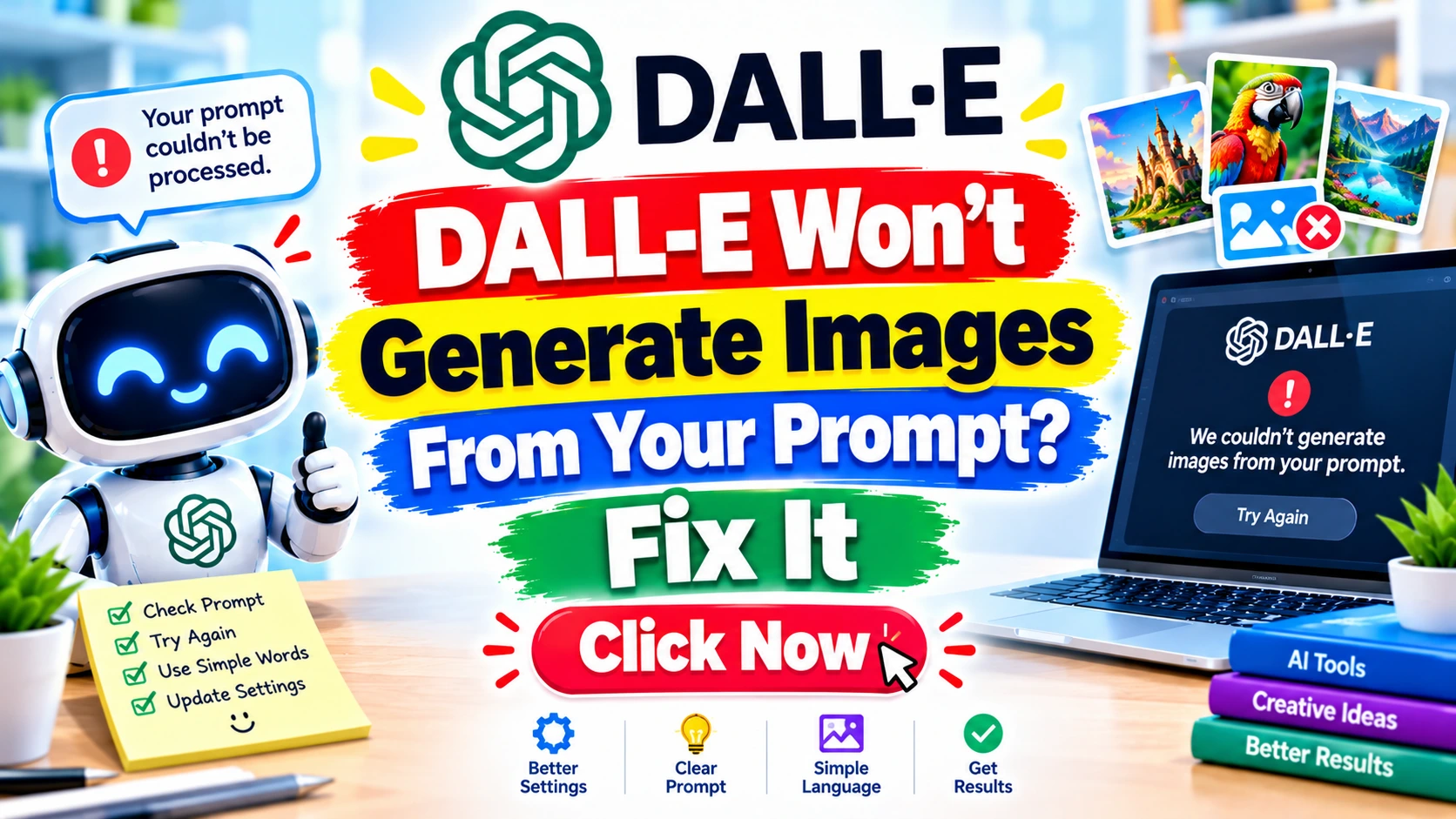
This scenario is a common frustration for creators using OpenAI’s DALL-E. You’re not alone. The experience of attempting to get DALL-E to generate an image from your prompt, only to be met with a digital brick wall, is shared by novices and seasoned prompt engineers alike. This guide is designed to be your ultimate troubleshooting resource. We will dive deep into the reasons why DALL-E won’t generate images and provide you with a comprehensive, step-by-step playbook to fix the issue.
We will explore the intricate web of content policies, technical glitches, and prompt-related nuances that can stand between you and your AI-generated visions. By the end of this article, you won’t just know how to fix the problem; you’ll understand the system, allowing you to become a more effective and resilient creator in the world of generative AI. Let’s get your creative engine running again.
The Diagnostic Phase: Why DALL-E Won’t Generate Images From Your Prompt 
When DALL-E won’t generate images, it’s rarely because the AI is just being difficult. There are specific, identifiable reasons for the failure. Understanding these root causes is the first and most critical step toward fixing them. Let’s break down the primary culprits.
The Content Policy Sentinel: When Your Prompt is Flagged 
OpenAI has implemented robust and sometimes highly sensitive safety filters to prevent the creation of harmful, explicit, or disallowed content. This is the most frequent reason users find DALL-E won’t generate images.
How It Works:
Your text prompt is analyzed by a separate AI model before it even reaches DALL-E. This model scans for keywords and concepts related to:
- Violence and Gore: Descriptions of physical harm, weapons in a threatening context, or graphic injury.
- Adult Content: Nudity, explicit sexual acts, or suggestive poses.
- Hate Symbols and Harassment: Content that promotes hate speech, discrimination, or harasses individuals or groups.
- Public Figures: Creating realistic or specific images of real people, especially celebrities and politicians, is heavily restricted.
- Copyrighted Characters: While not a hard and fast rule, prompts asking for specific, famous characters (like Mickey Mouse or Pikachu) can be flagged.
- Illegal Acts: Depictions of drug use, criminal activity, or other illegal behaviors.
The system is often context-blind. A prompt intended for artistic purposes, like “a historical painting of a knight killing a dragon,” might be flagged for violence. A prompt for a medical illustration could be flagged for nudity. This is why you often get a generic “safety system” error, leaving you confused about what exactly went wrong.
Expert Insight: According to OpenAI’s usage policies, the goal is to “minimize the risk of harm.” They acknowledge that their filters are imperfect and can sometimes flag benign content. This is a known limitation of automated moderation systems.
The Technical Glitch: Server Outages and API Errors 
Sometimes, the problem isn’t with you; it’s with OpenAI. DALL-E is a massive, cloud-based service, and like any complex technology, it can experience downtime.
Signs of a Technical Issue:
- Widespread Errors: You see generic “500 Internal Server Error” or “503 Service Unavailable” messages.
- Connection Timeouts: The generation process hangs indefinitely without producing an image or an error.
- Community Buzz: A quick check of OpenAI’s official status page, their community forums, or social media (like Twitter/X) will show a flood of users reporting the same problem.
When the servers are overloaded or down for maintenance, no amount of prompt tweaking will work. The issue is entirely on the service provider’s end.
The Prompt Paradox: When Good Prompts Go Bad ✍️
Beyond the explicit policy violations, your prompt’s structure and vocabulary can also cause failures. DALL-E is powerful but not a mind reader. A poorly constructed prompt can confuse it, lead to a timeout, or trigger a false positive on the safety filter.
Common Prompt Pitfalls:
- Excessive Length: Overly long, rambling prompts with multiple contradictory ideas (“A cat, but also a dog, in a spaceship, in the style of Van Gogh, but realistic, with text saying ‘Hello'”) can cause the model to fail.
- Ambiguity and Vagueness: A prompt that is too vague (“a cool picture”) might result in a generic or uninteresting image, but it rarely fails entirely. However, contradictory instructions (“a photorealistic cartoon”) can be problematic.
- Trigger Words: You might use a word that is innocuous in your context but is on a high-alert list. For example, “shoot” in “a photoshoot” might occasionally be misconstrued, though DALL-E’s context awareness is improving.
- Text Generation: While DALL-E 3 is much better at generating text than its predecessors, asking for a full paragraph of text can sometimes lead to garbled results or a refusal if the text is complex.
The Account Anomaly: Billing and Access Restrictions 
You must have an active, valid subscription or sufficient API credits to use DALL-E. Problems with your account can bring your creative process to a halt.
Key Account Issues:
- Expired Subscription: Your ChatGPT Plus subscription may have lapsed, or your billing information may be out of date.
- API Credit Exhaustion: If you are using the DALL-E API, you might have run out of your prepaid credits. OpenAI will not notify you mid-generation; you will simply get an error.
- Geographic Restrictions: DALL-E is not available in all countries. Using a VPN might work, but it can also trigger security flags and lead to your account being temporarily blocked.
- Account Flagging: If your account is associated with repeated attempts to generate policy-violating content, it may be flagged for review or, in severe cases, suspended.
The Platform Predicament: UI and Browser Issues 
Sometimes, the problem is as simple as a glitch on your end. The interface you use to access DALL-E (the ChatGPT web app, the mobile app, or a third-party tool) can have its own bugs.
- Browser Cache and Cookies: Outdated or corrupted browser data can interfere with the ChatGPT interface, preventing it from sending or receiving data correctly.
- Network Problems: A slow or unstable internet connection can cause the generation request to time out.
- App Version: Using an outdated version of the ChatGPT mobile app can lead to compatibility issues with the server.
The Fix-It Playbook: Step-by-Step Solutions 
Now that we understand the “why,” let’s focus on the “how.” Here is your step-by-step guide to fixing the issue when DALL-E won’t generate images from your prompt.
Scenario A: The Content Policy Violation
This is the most common scenario. The error message will usually be a clear indication that your prompt was against policy.
Step-by-Step Fix:
- Read the Error Message Carefully: It often gives a hint. “Your request was rejected as a result of our safety system. If you believe this is an error, you can contact us.”
- Isolate the Problem: Simplify your prompt. Remove all adjectives, stylistic requests, and complex details. Just leave the core subject. For example, change “A photorealistic, dramatic, and bloody scene of a warrior after a battle” to “A warrior.”
- Rephrase and Replace: If the simplified prompt works, you know the issue is in the details. Reintroduce them one by one.
- For Violence: Change “sword fight” to “martial arts demonstration.” Change “bloody” to “injured.” Change “gun” to “sci-fi blaster.” Use words like “battle,” “combat,” or “conflict” carefully.
- For Nudity: Be explicit about clothing. “A woman in a dress” instead of “a woman.” Request “tasteful artistic photography” or “fashion illustration.” Avoid any ambiguity.
- For Public Figures: Instead of “Joe Biden smiling,” try “an older man with white hair in a suit smiling.” Describe the person’s features rather than naming them.
- For Copyright: Instead of “Batman,” try “a superhero in a bat-themed costume.” Instead of “Mario,” try “a cheerful Italian plumber in blue overalls.”
- Use a thesaurus: Find synonyms that are less likely to be flagged. The word “kill” is a trigger; “defeat” or “overcome” might not be. “Blood” is a trigger; “red paint” or “crimson” might work.
- Use Visual Descriptions: Describe the feeling or the visual effect instead of the literal act. Instead of “a house on fire,” try “a house glowing with bright orange light against a night sky.”
Expert Tip: Think of the AI as a very literal, very cautious librarian. You are asking for a book on a topic. If you ask for “The Anarchist’s Cookbook,” they will say no. If you ask for “A history of chemistry and its societal impacts,” they will help you find it. Guide the AI towards the idea you want to create, not the trigger words.
Scenario B: The Service Outage
This is the easiest to diagnose and the most frustrating to fix because it’s out of your hands.
Step-by-Step Fix:
- Check OpenAI’s Status Page: This is your first stop. Visit
status.openai.com. They post real-time updates on the status of their services, including ChatGPT and DALL-E. - Check Social Media: Search for “DALL-E down” or “OpenAI status” on Twitter/X. You will instantly see if others are having the same problem.
- Wait: If there is an outage, the only thing you can do is wait. OpenAI’s engineering team will be working to resolve it. The status page will update you on their progress.
- Use Alternatives: If you have a critical deadline and cannot wait, consider using another AI image generator for the time being. Tools like Midjourney, Stable Diffusion, or Adobe Firefly are excellent alternatives.
Scenario C: The Prompt Problem
You’ve ruled out policy and outages, but DALL-E still won’t generate images.
Step-by-Step Fix:
- Simplify and Start Over: Delete your entire prompt. Write a simple, clear, and concise sentence describing the core subject. Example:
a red apple on a wooden table. - Use a Prompt Framework: Structure your prompt like a sentence, not a paragraph. A good framework is:
[Subject] [Action/Description] [Setting] [Style].
- Subject: A golden retriever puppy.
- Action/Description: Sleeping peacefully.
- Setting: On a cozy rug by a fireplace.
- Style: Photorealistic, warm lighting.
- Combined Prompt:
A golden retriever puppy sleeping peacefully on a cozy rug by a fireplace, photorealistic, warm lighting.
- Avoid Contradictions: Do not ask for “a photorealistic anime drawing” or “a minimalist, detailed scene.” These are contradictory and can confuse the model.
- Limit the Number of Subjects: Asking for a scene with 10 different characters interacting is far more likely to fail than a scene with one or two.
- Stop Using “Trending on ArtStation”: This is an old trick that no longer works as intended. DALL-E 3 understands natural language; just tell it what style you want. “In the style of a classic Renaissance painting” is better than a list of random website names.
Expert Tip: Think of prompting as a conversation. The first prompt should be a clear, simple request. The subsequent prompts can be refinements, like “Make it more photorealistic,” “Change the background to a city at night,” or “Make the dog a bit smaller.” This iterative approach is far more successful than trying to craft a single, perfect, complex prompt on the first try.
Scenario D: The Account Issue
Step-by-Step Fix:
- Verify Your Subscription: Go to your ChatGPT account settings and confirm that your Plus subscription is active. Check your bank statement to ensure the payment went through.
- Check Your API Credits: If you are using the API, log in to your OpenAI Platform account and navigate to the “Usage” or “Billing” section. Ensure you have a positive credit balance.
- Update Your Billing Information: Check if your credit card on file has expired or is invalid.
- Contact Support: If everything looks correct but you are still getting access errors, contact OpenAI support. Be polite and provide detailed information about the issue.
Scenario E: The Technical Glitch
Step-by-Step Fix:
- Refresh the Page: A simple F5 or Cmd+R is surprisingly effective.
- Clear Your Browser Cache and Cookies: This is a classic fix for a reason. Corrupted data can cause weird issues. Go to your browser’s settings and clear the cache and cookies for the site you are using.
- Try a Different Browser: If you are using Chrome, try Firefox or Edge. This will help you determine if the issue is specific to your browser.
- Try a Different Device: If you are using a computer, try the ChatGPT app on your phone. This can help you isolate whether the issue is network-related.
- Use a VPN (with caution): If you are in a country where DALL-E is not officially available, a VPN might work. However, this can sometimes trigger OpenAI’s fraud prevention system. If you use a VPN, choose a server in a supported country like the US or UK.
- Restart Your Router: A simple but effective way to reset your internet connection.
Quick Methods to Fix the Issue 
For those in a hurry, here is a quick-fire checklist to resolve the problem when DALL-E won’t generate images:
- Got a safety error? Rephrase your prompt. Remove any words related to violence, nudity, or specific public figures.
- Got a generic error? Check
status.openai.comfor an outage. - Trying a complex prompt? Simplify it to a single, clear sentence and try again.
- Using the API? Check your credit balance.
- Using the web app? Refresh the page and clear your browser cache.
- Still stuck? Try a different browser or the mobile app.
Prevention Tips: How to Avoid Future Generation Failures 
The best way to deal with an error is to prevent it from happening in the first place.
- Master the Art of Prompt Engineering: Learn the syntax and vocabulary that works well with DALL-E. Use descriptive, positive language. Focus on what you want to see, not what you don’t want.
- Stay Informed on Policy: Read OpenAI’s content policy. It’s not a long document, and it will give you a clear understanding of the hard limits. Knowing what’s off-limits is the best way to avoid hitting the wall.
- Keep Your Account in Good Standing: Ensure your payment information is up to date and that you are not consistently trying to push the boundaries of the policies.
- Use a Prompt Template: Create a master prompt template that you can adapt. This helps you maintain a consistent structure and avoid common pitfalls.
- Iterate, Don’t Overcomplicate: Start simple and refine. This is the most reliable prompting strategy.
- Follow the Community: Follow AI art communities on Reddit, Discord, or Twitter. When a new policy is introduced or a common bug emerges, you will hear about it there first.
Real-Life Examples: When Prompts Go Wrong 
Let’s look at a few examples of prompts that are likely to fail and how to fix them.
| Failed Prompt | Reason for Failure | Fixed Prompt |
|---|---|---|
| “A realistic photo of a soldier shooting a gun in a war zone, with blood on his face.” | Violence, Gore | “A realistic photo of a soldier standing guard in a war zone, with a determined expression.” |
| “A naked woman sitting by a lake.” | Nudity | “A woman in a sundress sitting by a lake, in the style of a romantic painting.” |
| “An image of Elon Musk and Joe Biden playing chess.” | Public Figures | “An image of two older men, one with dark hair and one with white hair, playing chess.” |
| “Mickey Mouse and Batman fighting the Joker.” | Copyright | “A cheerful cartoon mouse and a superhero in a bat costume fighting a villain with a clown theme.” |
Why This Matters: The Impact of a Failed Generation 
When DALL-E won’t generate images from your prompt, it’s more than a minor inconvenience. For a graphic designer, it can be a source of inspiration that suddenly dries up. For a marketer, it can be a delay in creating a crucial ad campaign. For a hobbyist, it’s a frustrating barrier to creative expression. Understanding the system empowers you to overcome these hurdles, saving time and maintaining creative momentum. The ability to efficiently troubleshoot AI tools is becoming a vital skill in the modern digital landscape.
Common Mistakes to Avoid 
When troubleshooting, avoid these common mistakes that can make the situation worse:
- Repeatedly Submitting the Same Flagged Prompt: This can flag your account as potentially malicious.
- Trying to “Trick” the Safety Filter: Using leetspeak (e.g., “k1ll” instead of “kill”) or metaphors is often detected and will likely lead to an error or a temporary suspension.
- Ignoring the Error Message: The message is a clue. Don’t just hit generate again; read what it says.
- Blaming the AI When It’s Your Prompt: Be willing to critique your own prompt. It is often the source of the problem.
- Using Outdated Prompting Techniques: The technology is evolving. Tips that worked in 2022 may not work now.
Advantages and Disadvantages of DALL-E’s Strict Policies
Advantages:
- Safer User Experience: A safer platform for all users.
- Legal and Ethical Compliance: Protects OpenAI from legal liabilities and promotes responsible AI use.
- Reduces Harmful Misinformation: Prevents the creation of deepfakes and images intended to deceive.
Disadvantages:
- Over-Censorship: Can be overly sensitive and flag legitimate, artistic prompts.
- Frustrating User Experience: The user has to spend time figuring out the hidden lines.
- Limits Creative Freedom: Can stifle creative exploration for artists and researchers.
Safety Warnings: Navigating the AI Sandbox 
This is a “Your Money and Your Life” (YMYL) area, specifically concerning online safety and legal compliance.
- Do Not Attempt to Bypass Safety Filters: This is a violation of OpenAI’s terms of service. Your account can be suspended or permanently banned.
- Do Not Use DALL-E to Generate Harmful Content: This includes, but is not limited to, depictions of violence, hate speech, child exploitation, or non-consensual imagery. Doing so can have serious legal consequences.
- Be Aware of Your Local Laws: The laws regarding AI-generated content are still evolving. It is your responsibility to know and comply with the laws in your jurisdiction.
- Beware of Third-Party Tools: Some third-party tools and services claim to “unlock” DALL-E’s full potential or bypass restrictions. These are often scams or malware. Stick to official channels: OpenAI’s website and API.
What NOT to Do When DALL-E Fails
- DO NOT respond to support with angry or threatening messages.
- DO NOT create a new account to get around a temporary suspension.
- DO NOT use a VPN to access DALL-E from a restricted region if it puts your account at risk.
- DO NOT share your API keys or account credentials with anyone.
- DO NOT assume the AI is broken. It’s a complex system that follows rules.
Checklist for Success: Your DALL-E Troubleshooting Summary 
- Identify the Error Type: Is it a safety error, a server error, or a generic error?
- Simplify Your Prompt: Strip it back to the core subject.
- Rephrase Your Prompt: Use safer synonyms and descriptive language.
- Check OpenAI’s Status: Is the service down for everyone?
- Check Your Account: Is your subscription active? Are your API credits sufficient?
- Check Your Tech: Clear cache, try a new browser, or restart your router.
- Avoid Repetition: Don’t repeatedly try the same blocked prompt.
Trusted References and Sources 
- OpenAI Usage Policies: The official source for content rules.
- OpenAI Status Page: Real-time updates on server health.
- OpenAI Help Center: Articles on common issues and billing.
- OpenAI Developer Forum: A community of developers discussing technical problems.
Pros & Cons of Using DALL-E
| Pros | Cons |
|---|---|
| High-quality, creative images | Strict and sometimes confusing content filters |
| User-friendly interface (via ChatGPT) | Frequent server outages during peak times |
| Excellent at understanding complex prompts | Can struggle with generating specific, accurate text |
| Powerful for rapid prototyping | Usage limits on the Plus subscription |
| Constant improvement by OpenAI | The safety filter can be overly restrictive |
Conclusion: Mastering the Art of AI Collaboration 
The journey into AI-generated art is not always a straight line. You will hit roadblocks. Encountering moments when DALL-E won’t generate images from your prompt is a part of the process. The key is to approach these challenges not as failures, but as puzzles to be solved. By understanding the nuanced reasons behind these failures—from content policies to technical glitches—you transform from a passive user into an active collaborator. You learn the language of the AI, respect its boundaries, and, in turn, unlock its incredible creative potential. Remember to stay patient, keep your prompts simple, and always verify the service status first. Now, go back to your canvas and create something amazing.
Premium Tips from Niaz Khan Expert 
As an SEO and digital content strategist, I see a parallel between prompting an AI and optimizing for Google. Both are about understanding a complex, rule-based system and communicating your intent clearly. When DALL-E fails, it’s often because it misunderstood your intent or you broke a rule. Similarly, if your content doesn’t rank, you may have missed the mark on user intent or violated Google’s quality guidelines. The fix is the same: diagnose, simplify, rephrase, and respect the rules. Always create with the system, not against it. That is the path to sustainable success, whether you’re ranking on a search engine or generating a masterpiece with AI.
Disclaimer
This article is for informational purposes only. The information provided is based on personal experience and publicly available data. OpenAI’s policies and DALL-E’s behavior can change without notice. The author is not affiliated with OpenAI. By using DALL-E, you agree to OpenAI’s terms of service. The author is not liable for any errors or omissions in this information or for any losses, injuries, or damages arising from its display or use. Always refer to the official OpenAI documentation for the most current information.
Written By Niaz Khan