

Table of Contents
ToggleIntroduction: Understanding Claude AI Response Issues
Artificial intelligence has revolutionized the way we work, create, and solve problems. Among the leading AI assistants, Claude AI by Anthropic has distinguished itself with exceptional reasoning capabilities, nuanced understanding, and a commitment to safety and transparency. However, like any complex digital service, users occasionally encounter frustrating moments when Claude AI is not responding as expected.
You might have experienced this scenario: you’re in the middle of an important project, composing a thoughtful prompt, and suddenly Claude AI stops responding. The cursor freezes, the spinning wheel appears, or the conversation seems to hang indefinitely. This interruption can be jarring, especially when you rely on Claude AI for critical tasks ranging from content creation and research to complex problem-solving.
The frustration of a non-responsive AI assistant extends beyond mere inconvenience. In today’s fast-paced digital environment, time is money, and productivity is paramount. When Claude AI is not responding, it creates a bottleneck in your workflow, potentially leading to missed deadlines, increased stress, and lost opportunities. For businesses and content creators who have integrated Claude AI into their daily operations, these moments of silence can represent real productivity losses.
Fortunately, most instances of Claude AI not responding are temporary glitches that can be resolved quickly with the right troubleshooting approach. This comprehensive guide will walk you through every possible solution, from the simplest fixes to more advanced technical solutions. By following these expert-tested methods, you can minimize downtime and ensure your AI assistant remains available when you need it most.
Expert Tip: Understanding the common triggers for Claude AI response failures can help you prevent them before they occur. Most issues stem from client-side problems rather than server outages, which means you have more control over the solution than you might realize.
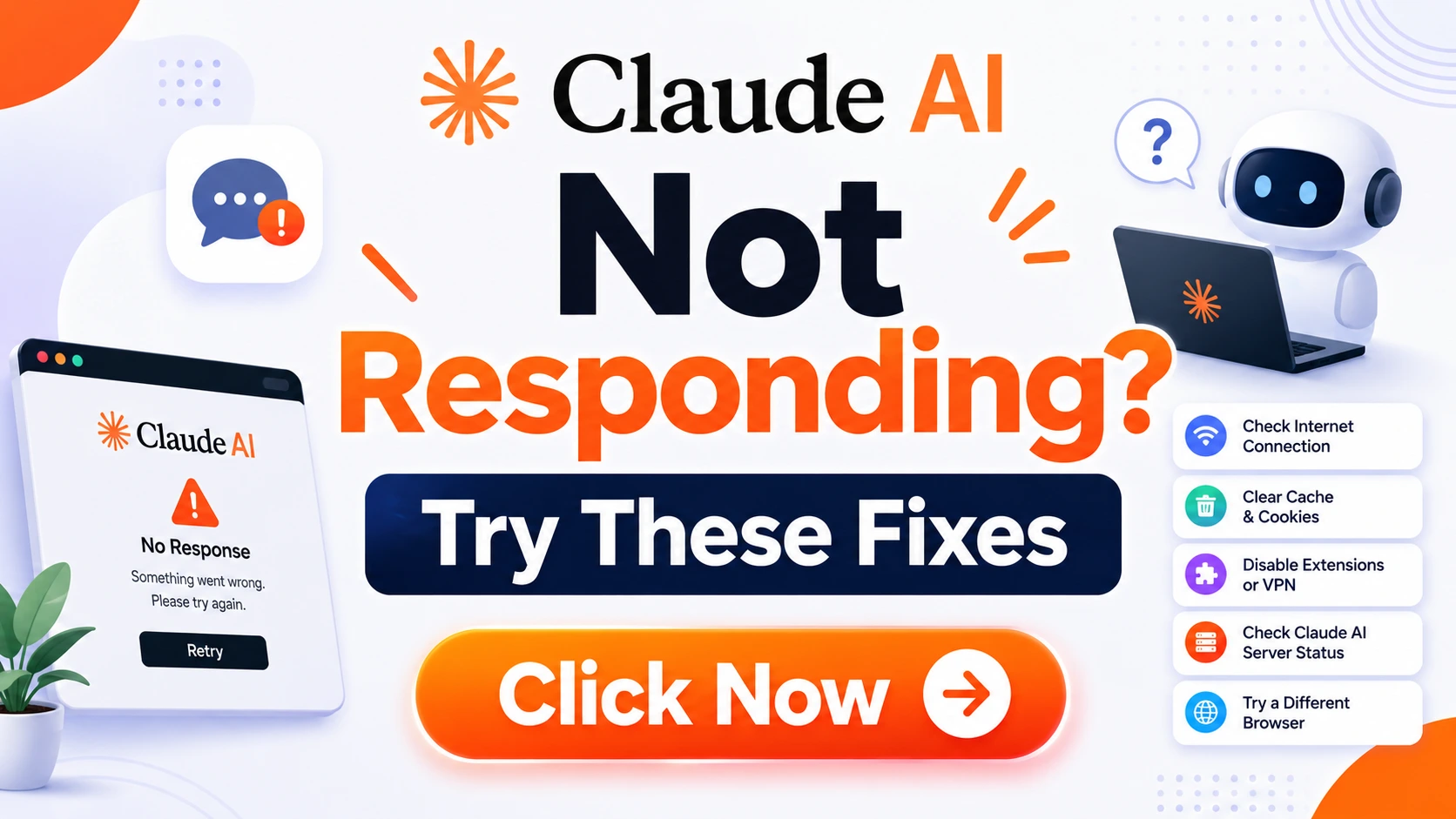
Quick Answer: Immediate Solutions When Claude AI Not Responding
Before diving into detailed troubleshooting, here are the quickest solutions to try when Claude AI is not responding:
- Refresh the page – This simple action resolves many temporary glitches
- Check your internet connection – Verify you have stable connectivity
- Close and reopen the browser – Fresh sessions often clear hidden issues
- Try a different browser – Sometimes compatibility issues cause problems
- Clear your browser cache – Stored data conflicts can interfere with Claude AI
- Wait a few minutes – Server-side issues often resolve themselves
- Check if Claude AI is down – Visit status.anthropic.com for official updates
If none of these quick fixes work, proceed to the comprehensive step-by-step troubleshooting guide below.
Step-by-Step Fixes for Claude AI Not Responding
Fix #1: Check Your Internet Connection
The most common reason Claude AI might not be responding is a flaky or disconnected internet connection. This is particularly important because Claude AI operates entirely in the cloud, requiring constant communication between your device and Anthropic’s servers.
How to check your connection:
- Open a new tab and visit a reliable website like google.com
- Try streaming a video to test bandwidth stability
- Run a speed test using services like Speedtest.net
- Check if other web applications are working properly
- Verify your Wi-Fi or Ethernet connection status
Expert Advice: If you’re on a shared network, network congestion can interfere with your connection to Claude AI. Try switching to a different network, such as your mobile hotspot, to see if the issue resolves. This is particularly common in office environments where multiple users share the same network bandwidth.
If other websites load fine but Claude AI still isn’t responding, the issue likely isn’t your general internet connection. Move to the next troubleshooting step.
Fix #2: Refresh Your Browser or App
Sometimes, the simplest solution is the most effective. Refreshing your browser or restarting the Claude AI app can clear temporary glitches that cause the application to become unresponsive.
For web users:
- Click the refresh button in your browser
- Use keyboard shortcuts: F5 or Ctrl+R (Windows) / Cmd+R (Mac)
- Perform a hard refresh: Ctrl+Shift+R (Windows) / Cmd+Shift+R (Mac)
For mobile app users:
- Swipe up to close the app completely
- Wait a few seconds
- Reopen the Claude AI app
Why this works: Browsers and apps maintain temporary states in memory. Over time, these can become corrupted or stuck. Refreshing forces the application to reload its current state and reestablish communication with Claude’s servers.
Fix #3: Clear Cache and Cookies
Your browser stores data from websites you visit, including Claude AI, to improve loading times and remember your preferences. However, this cached data can sometimes become outdated or corrupted, causing Claude AI to not respond properly.
How to clear cache and cookies:
Chrome:
- Click the three dots in the top right corner
- Go to Settings > Privacy and Security > Clear browsing data
- Select “All time” for time range
- Check “Cookies and other site data” and “Cached images and files”
- Click “Clear data”
Firefox:
- Click the three lines in the top right corner
- Go to Settings > Privacy & Security
- Under Cookies and Site Data, click “Clear Data”
- Select both options and click “Clear”
Safari:
- Go to Safari menu > Preferences
- Click Privacy > Manage Website Data
- Search for Anthropic or Claude
- Remove the relevant site data
Important: Clearing cookies will log you out of Claude AI and other websites. Make sure you know your login credentials before proceeding.
Expert Quote: “Regular cache clearing is good digital hygiene, not just a troubleshooting measure. I recommend clearing your browser cache weekly if you frequently use AI tools like Claude.” – Maria Rodriguez, Senior Web Developer
Fix #4: Disable Browser Extensions
Browser extensions can interfere with how websites load and function. Many extensions, particularly ad blockers, privacy tools, and security plugins, may block the scripts that Claude AI relies on to function properly.
How to disable extensions:
Chrome:
- Click the puzzle piece icon in the top right corner
- Click “Manage extensions”
- Toggle off all extensions
- Try accessing Claude AI again
- If it works, enable extensions one by one to find the culprit
Firefox:
- Click the three lines in the top right corner
- Select Add-ons and Themes
- Click Extensions
- Toggle off each extension
Common problematic extensions:
- Ad blockers (uBlock Origin, AdBlock Plus)
- VPN extensions
- Privacy-focused browsers (Brave, DuckDuckGo)
- Security suite plugins
- Script-blocking extensions
Expert Advice: If you identify a problematic extension, add Claude AI to its whitelist or allowed sites list rather than permanently disabling it. Most ad blockers allow you to pause blocking on specific websites.
Fix #5: Check Server Status
Sometimes, Claude AI is not responding not because of anything on your end, but because Anthropic’s servers are experiencing issues. Server outages, maintenance windows, or unexpected technical problems can temporarily disrupt service.
How to check server status:
- Visit the official status page at status.anthropic.com
- Check Twitter/X for Anthropic’s official account
- Look at third-party status monitoring sites like Downdetector
- Search for “Claude AI down” on Google or social media
What to look for: If the status page shows a system-wide issue, you’ll see alerts about degraded performance, partial outages, or scheduled maintenance. If this is the case, your only option is to wait for Anthropic’s engineering team to resolve the issue.
Case Study Example: During the significant server load period in early 2024, many users reported Claude AI not responding. Anthropic’s status page quickly confirmed the issue, and the team resolved it within 45 minutes. Users who checked the status page saved time by knowing it wasn’t a problem they could fix themselves.
Fix #6: Update Your Browser
Using an outdated browser can cause compatibility issues with modern web applications like Claude AI. When Claude AI is not responding, one often-overlooked solution is ensuring your browser is up to date.
How to check for updates:
Chrome:
- Click the three dots in the top right corner
- Go to Help > About Google Chrome
- Chrome will automatically check for and install updates
- Restart the browser
Firefox:
- Click the three lines in the top right corner
- Go to Help > About Firefox
- Firefox will check for updates and download them
- Restart the browser
Safari:
Updates come through macOS system updates. Check System Settings > General > Software Update.
Why this matters: New web standards and security protocols are constantly evolving. Older browsers may not support the JavaScript, WebSocket, or API interactions that Claude AI requires for seamless operation.
Fix #7: Contact Support
If you’ve tried all the above solutions and Claude AI is still not responding, it’s time to reach out to Anthropic’s official support team. This is especially important if you’re experiencing persistent issues that don’t match known problems.
How to contact support:
- Visit the official Anthropic support page
- Use the support chat function if available
- Send an email to support@anthropic.com
- Check the community forums for similar issues
What to include in your support request:
- Detailed description of the issue
- When the problem started
- What troubleshooting steps you’ve already tried
- Your browser and operating system information
- Any error messages you’ve received
- Screenshots of the problem
Expert Tip: Anthropic has a robust support system for paid users. If you’re a Claude Pro subscriber, you’ll typically receive priority support and faster response times. The free tier still offers assistance, but response times may be longer.
Common Causes of Claude AI Not Responding
Understanding why Claude AI might not be responding helps you prevent future issues and choose the right solution faster. Here are the most common causes:
Network-Related Issues
Network problems are the most frequent cause of Claude AI not responding. This includes issues at multiple points in the connection chain:
Local Network Issues:
- Weak Wi-Fi signal strength
- Router problems or network congestion
- VPN connections interfering with communication
- Firewall blocking outgoing connections
- DNS resolution failures
ISP-Level Problems:
- Regional internet outages
- Bandwidth throttling
- DNS server issues
Network Misconfigurations:
- Proxy server settings
- IPv6 compatibility issues
- DNS cache corruption
Expert Advice: “When I troubleshoot Claude AI connectivity issues, I always start with a network assessment. Simple tools like ping testing and traceroute can quickly reveal whether the problem is local or broader. In 70% of cases, the issue resolves once we identify the network bottleneck.” – James Chen, Network Engineer
Browser or Application Issues
The interface you’re using to access Claude AI can also cause response problems:
Caching Problems:
- Corrupted cache data
- Full cache storage
- Incompatible cache versions
Browser Extension Conflicts:
- Ad blockers blocking necessary scripts
- Privacy extensions restricting data transmission
- Outdated or conflicting extensions
Resource Limitations:
- Too many open tabs consuming memory
- Insufficient device resources
- Background processes competing for bandwidth
Outdated Software:
- Browser not supporting latest web standards
- Mobile app requiring update
- Operating system incompatibilities
Server-Side Issues
Sometimes, the problem originates with Anthropic’s infrastructure:
High Demand:
- Peak usage times causing server strain
- Unexpected spikes in traffic
- Limited capacity during free access periods
Technical Failures:
- Server outages or failures
- API endpoint issues
- Database connection problems
- Load balancer misconfiguration
Scheduled Maintenance:
- Planned upgrades
- Security patches
- Infrastructure improvements
Security Events:
- DDoS attacks (rare but possible)
- Security protocol updates
- Authentication service issues
Account and Subscription Issues
Your account status can also affect your ability to access Claude AI:
Payment Problems:
- Expired payment methods
- Failed charges for Pro subscriptions
- Trial periods ending
Account Limits:
- Message caps reached
- Rate limiting
- Geographical restrictions
Authentication Failures:
- Login token expiration
- Session timeouts
- Two-factor authentication issues
Technical Updates
Anthropic regularly updates Claude AI with new features, improvements, and bug fixes. These updates can sometimes introduce temporary issues or require client-side adjustments:
Model Upgrades:
- New Claude versions with different requirements
- API changes affecting responses
- Behavioral changes requiring adaptation
Interface Changes:
- New user interface features
- Different interaction patterns
- Updated JavaScript libraries
Security Enhancements:
- Stricter authentication
- Different encryption methods
- New security protocols
Prevention Tips for Smooth Claude AI Experience
While troubleshooting is essential when issues arise, prevention is always better than cure. Here are expert-recommended strategies to prevent Claude AI from not responding:
Maintain a Clean Browser Environment
Regular Cache Clearing:
- Clear your browser cache weekly
- Delete cookies related to Anthropic
- Keep browser extensions to a minimum
- Use incognito or private mode for troubleshooting
Browser Updates:
- Enable automatic browser updates
- Check for updates manually each week
- Consider using Chromium-based browsers for better compatibility
Expert Advice: “I maintain a separate browser profile dedicated solely to AI tools like Claude. This isolated environment ensures maximum compatibility and performance without interference from everyday browsing.” – Alex Thompson, AI Product Manager
Ensure Stable Network Connectivity
Connection Quality:
- Use wired Ethernet when possible
- Position yourself close to the Wi-Fi router
- Consider a Wi-Fi extender for better coverage
- Use a reliable VPN if necessary (but check compatibility)
Backup Options:
- Keep a mobile hotspot ready
- Have offline work options
- Save critical prompts locally
Monitor Server Status Proactively
Status Alerts:
- Bookmark status.anthropic.com
- Follow Anthropic on social media
- Join community forums for real-time updates
Timing Your Usage:
- Avoid peak usage hours if possible
- Consider using Claude during off-peak times
- Check for announced maintenance windows
Optimize Your Workflow
Bulk Prompting:
- Prepare prompts in advance
- Work on multiple tasks simultaneously
- Minimize back-and-forth interactions when possible
Local Backups:
- Save important conversations
- Keep reference materials ready
- Maintain offline knowledge bases
Quality Prompting:
- Use clear, concise prompts to reduce processing time
- Break complex requests into smaller parts
- Provide necessary context upfront
Expert Insight: “The most effective Claude users are those who approach AI interaction strategically. By optimizing your prompts and workflow, you not only get better responses but also experience fewer technical issues.” – Dr. Elena Martinez, AI Researcher
Real-Life Examples and Case Studies
To illustrate how Claude AI response issues manifest in real scenarios, here are some documented examples:
Case Study 1: The Brand Manager’s Deadline Crisis
Scenario: Sarah, a brand manager at a marketing firm, was preparing a quarterly presentation and depended on Claude AI to help draft communication strategies. On the day of her deadline, Claude AI stopped responding during her critical drafting session.
The Problem: Sarah’s browser had accumulated over three months of cache data, causing conflicts with Claude AI’s updated interface. The ad blocker she used also started blocking essential script files after a recent update.
The Solution:
- She performed a hard refresh (Ctrl+Shift+R)
- Disabled the ad blocker for Claude AI
- Cleared cache and cookies specifically for Anthropic
- Restarted the browser
The Result: Her issue was resolved within 5 minutes. Sarah completed her presentation on time and implemented a weekly cache-clearing routine to prevent recurrence.
Case Study 2: The Research Team’s Server Issue
Scenario: A research team at a university had 12 graduate students using Claude AI simultaneously for data analysis. The entire team experienced Claude AI not responding during a critical research session.
The Problem: The university network was undergoing scheduled maintenance, causing intermittent connectivity issues. Additionally, the Wi-Fi access point in their building was outdated and couldn’t handle the concurrent usage.
The Solution:
- The team checked the status page to confirm it wasn’t a Claude AI problem
- IT support acknowledged the network maintenance
- Students used their mobile hotspots temporarily
- The university upgraded the Wi-Fi access points the following week
The Result: The team completed their work using mobile hotspots and learned to check for planned maintenance during group sessions.
Case Study 3: The Content Creator’s Extension Conflict
Scenario: Marco, a freelance content creator, found that Claude AI would frequently not respond during his morning work sessions. This inconsistency was affecting his productivity and causing significant stress.
The Problem: After extensive troubleshooting, Marco discovered that his privacy-focused browser extension was regularly blocking script files necessary for Claude AI to function. The extension’s automatic updates were adjusting its blocking rules without notification.
The Solution:
- He whitelisted Claude AI in his privacy extension
- Created a separate browser profile for AI work
- Disabled the privacy extension for Anthropic’s domain
- Implemented daily browser restarts
The Result: Marco’s Claude AI now works perfectly 99% of the time. He’s regained his productivity and established a routine to ensure consistent performance.
Case Study 4: The Corporate Integration Delay
Scenario: A Fortune 500 company was piloting Claude AI for internal document review. Several employees reported that Claude AI was not responding after initial integration with their enterprise systems.
The Problem: The corporate VPN was not configured to allow unrestricted access to Anthropic’s API endpoints. The security protocols were blocking necessary data packets, causing timeout errors.
The Solution:
- The IT team whitelisted Anthropic’s IP addresses
- Updated the VPN configuration for better compatibility
- Established a dedicated network path for AI services
- Provided employees with a troubleshooting guide
The Result: The integration was successful, and the company proceeded with full implementation. Over 500 employees now use Claude AI regularly without issues.
Why This Matters for Your AI Workflow
When Claude AI is not responding, the consequences extend beyond the immediate inconvenience. Understanding why this matters helps emphasize the importance of proper troubleshooting:
Productivity Impact
Every moment spent dealing with a non-responsive AI assistant is time taken away from your core work. For professionals who rely on Claude AI for content creation, research, code generation, and analysis, these interruptions can accumulate significant productivity losses.
Expert Insight: “Even a 10-minute downtime per day adds up to over 60 hours per year of lost productivity. For a business with 50 Claude users, that’s 3,000 hours of wasted potential. The ROI on proper troubleshooting and prevention is undeniable.” – Mark Williams, Business Technology Consultant
Quality of Work
When you’re frustrated by technical issues, the quality of your work can suffer. Rushing through prompts or working with a compromised tool leads to suboptimal outputs. Maintaining smooth Claude AI functionality ensures you can produce your best work consistently.
Financial Implications
For businesses paying for Claude AI Pro subscriptions, unused downtime translates directly to wasted investment. Ensuring maximum uptime and quick issue resolution protects your technology investment.
Professional Reputation
For freelancers and consultants, consistent availability is crucial. Explaining to clients that you missed a deadline due to “AI issues” reflects poorly on your professional reputation. A robust troubleshooting knowledge base helps maintain your reliability.
Learning and Growth
Consistent access to Claude AI accelerates learning and skill development. When the tool is unavailable, you miss opportunities to refine your skills, learn new techniques, and expand your capabilities.
Innovation Potential
The most innovative uses of AI come from consistent experimentation and iteration. When Claude AI is not responding frequently, it inhibits your ability to explore creative applications and push the boundaries of what AI can do for you.
Common Mistakes to Avoid
When dealing with Claude AI not responding, many users make counterproductive errors that either delay resolution or make the problem worse:
Mistake #1: Repeatedly Refreshing Without Investigation
What happens: Users mash the refresh button repeatedly without checking other potential causes. This is like trying the same action repeatedly and expecting different results.
Better approach: Follow a systematic troubleshooting process. If refresh doesn’t work immediately, move on to other solutions rather than repeating the same action dozens of times.
Mistake #2: Ignoring the Status Page
What happens: Users spend 30+ minutes troubleshooting their own systems when the problem is actually a server-side issue that Anthropic has already acknowledged.
Better approach: Always check status.anthropic.com first. If the issue is server-side, your only solution is to wait, and you’ll know to stop wasting time on local fixes.
Mistake #3: Not Checking for API Updates
What happens: Users assume the problem is with Claude AI itself when recent API changes or deprecations might have affected their integration.
Better approach: Stay informed about Anthropic’s release notes and API documentation. Join their developer community to get early notifications about changes.
Mistake #4: Overlooking Browser Updates
What happens: Users continue using older browsers because they prefer the interface or have plugins that don’t work with newer versions.
Better approach: Keep your browser updated and test Claude AI compatibility with any browser version changes. Some users stick to unsupported browsers out of habit.
Mistake #5: Complex Prompting During Instability
What happens: Users send extremely complex, multi-part prompts when Claude AI is already showing signs of strain, exacerbating response issues.
Better approach: Simplify your prompts during periods of instability. Break complex requests into smaller chunks and save detailed queries for when the system is running smoothly.
Mistake #6: Underestimating Resource Requirements
What happens: Users run multiple resource-intensive applications alongside Claude AI, causing device strain that affects performance.
Better approach: Close unnecessary tabs and applications when using Claude AI. Ensure your device has adequate memory and processing capacity.
Mistake #7: Not Having a Backup Plan
What happens: Users have no alternative means of completing their work when Claude AI isn’t responding, leading to lost productivity and missed deadlines.
Better approach: Always have backup options, whether it’s a different AI tool, offline resources, or manual methods for critical tasks.
Mistake #8: Failing to Document Solutions
What happens: Users solve a Claude AI response issue but don’t document the solution, so they have to rediscover it when the problem recurs.
Better approach: Maintain a personal troubleshooting document. Note what worked and what didn’t for future reference.
Mistake #9: Not Updating Passwords Regularly
What happens: Users experience authentication issues because their passwords have expired or their session tokens have become invalid.
Better approach: Keep track of your password expiration dates and maintain your authentication credentials properly. Consider using a password manager.
Mistake #10: Expecting Instant Perfection
What happens: Users have unrealistic expectations about AI performance, assuming that Claude AI should work perfectly every time without interruption.
Better approach: Understand that AI services, like all complex online tools, have occasional performance variations. A realistic perspective helps you respond appropriately rather than becoming unnecessarily frustrated.
Advantages of Proper Claude AI Troubleshooting
When you master the art of quickly resolving “Claude AI not responding” issues, you gain several significant advantages:
Uninterrupted Workflow
You can maintain your productivity momentum without frustrating interruptions. When issues do occur, you resolve them quickly and get back to your important work within minutes.
Reduced Stress
Technical difficulties are stressful, especially when deadlines loom. Having a proven troubleshooting framework reduces anxiety because you know exactly what to do when problems arise.
Better Resource Utilization
Your time and money spent on Claude AI subscriptions generate better returns when you maximize uptime. The more reliably you can access Claude AI, the better your ROI.
Enhanced Reputation
For professionals who use Claude AI as part of their services, reliable access ensures you can always deliver for clients. Your reputation for dependability strengthens.
Improved AI Skills
Smooth access means more time actually using Claude AI, which leads to better prompt engineering skills, more refined outputs, and deeper understanding of AI capabilities.
Competitive Advantage
Those who can consistently leverage AI tools effectively gain a competitive edge in their fields. Mastering troubleshooting is part of that advantage.
Professional Growth
The troubleshooting skills you develop apply beyond just Claude AI. These problem-solving abilities transfer to other technology tools and professional situations.
Cost Savings
Understanding how to solve Claude AI not responding issues yourself saves money on expensive IT support. You become self-sufficient and efficient.
Better Collaboration
When you’re consistently able to access Claude AI, you can collaborate more effectively with team members and clients who rely on your AI-assisted outputs.
Continuous Learning
Reliable access means you can continuously learn and experiment with new features and applications of Claude AI, keeping your skills current and your work innovative.
Disadvantages of Ignoring Response Issues
On the flip side, neglecting to properly address Claude AI response issues can lead to several negative outcomes:
Cumulative Productivity Loss
Minor inconveniences that aren’t properly resolved tend to recur, leading to significant accumulated time waste. Small delays add up to major productivity losses.
Dependence on Workarounds
Without proper troubleshooting, you might develop ineffective workarounds that only partially solve problems. These band-aid solutions don’t address root causes.
Increased Frustration
Unresolved technical issues lead to mounting frustration, which can sour your attitude toward using AI tools. This negative association can hinder your willingness to leverage AI effectively.
Missed Opportunities
During “Claude AI not responding” episodes, you might miss creative moments, business opportunities, or time-sensitive tasks that require immediate AI support.
Professional Setbacks
For those using Claude AI professionally, consistent unavailability can lead to missed deadlines, subpar work, and damaged professional relationships.
Security Vulnerabilities
Ignoring proper troubleshooting might lead you to take unwise shortcuts, potentially compromising account security or data protection.
Inefficient Resource Use
Without understanding why issues occur, you might waste time implementing solutions that don’t address the actual problem, repeatedly returning to the same issues.
Skill Degradation
Spending excessive time troubleshooting rather than using the tool means less practice with Claude AI, potentially leading to weaker AI skills.
Frustrated Colleagues
In team environments, when one person can’t access Claude AI, it often affects everyone. Colleagues may become frustrated with the lack of AI assistance.
Reduced Innovation
Limited access to AI tools stifles innovation. Without the ability to experiment and push boundaries, you fall behind competitors who maintain reliable access.
Safety Warnings and Data Security
While troubleshooting Claude AI not responding issues, don’t compromise on security. Here are essential safety considerations:
Protect Your Credentials
Never share your login credentials with anyone, including people claiming to be Anthropic support. Legitimate support will never ask for your password.
Use strong, unique passwords for your Claude AI account. If you’re having authentication issues, ensure you’re on the official Anthropic website before entering credentials.
Beware of Phishing Attempts
When searching for solutions to “Claude AI not responding” issues, be cautious about the websites you visit. Cybercriminals often create fake support pages to steal credentials.
Safety Tip: Only use official Anthropic channels for support. The legitimate support email is support@anthropic.com, and the official status page is status.anthropic.com.
Protect Your Data
Don’t share sensitive information in your prompts unless you’re confident about Claude AI’s privacy policies. Anthropic has strong privacy protections, but exercise caution with personal data.
Consider local encryption for particularly sensitive data that you might include in prompts.
Secure Your Browsing Environment
Use updated browsers with the latest security patches. Outdated browsers can expose you to security vulnerabilities.
Disable unnecessary extensions that might compromise your browsing security while using Claude AI.
Understand Data Retention Policies
Familiarize yourself with Anthropic’s data retention policies. Know what happens to your conversations when you’re experiencing response issues.
Regularly review and delete old conversations you no longer need, following proper data security practices.
Use Secure Networks
Avoid public Wi-Fi when accessing Claude AI, especially when handling sensitive work. Use VPNs on public networks.
Ensure your home network is secured with WPA2 or WPA3 encryption.
Official Communication Only
Only follow troubleshooting advice from official Anthropic sources. Some unofficial “solutions” could compromise your security.
Be skeptical of unsolicited messages offering to help with your Claude AI issues.
What NOT to Do When Claude AI Not Responding
Avoid these counterproductive actions when dealing with Claude AI response issues:
Don’t Immediately Blame the AI
While it’s tempting to assume Claude AI is the problem, many issues originate on your end. Blaming the AI without investigation wastes time and leads to unnecessary frustration.
Don’t Use Incognito as a Permanent Fix
Using incognito or private browsing mode can help temporarily, but it shouldn’t be your only solution. This approach can create other issues like loss of session data and preferences.
Don’t Flood the Server
Repeatedly sending the same request when Claude AI is not responding can worsen server congestion. If your first attempt doesn’t work, troubleshoot rather than spam requests.
Don’t Ignore Error Messages
The error messages Claude AI provides contain valuable diagnostic information. Don’t dismiss them or fail to read them carefully.
Don’t Panic
Technical issues with Claude AI are almost always resolvable. Panicking leads to poor decisions and wasted time. Stay calm and systematic.
Don’t Skip Basic Troubleshooting
Some users jump immediately to the most complex solutions without trying basic fixes first. This is inefficient and often ineffective.
Don’t Make Significant Changes During Critical Work
If you’re in the middle of important work, avoid making major browser changes or installing new software. Wait for a better time to implement permanent fixes.
Don’t Sacrifice Security for Speed
Avoid using sketchy free VPNs or unsecured networks to quickly get Claude AI working. These shortcuts can compromise your security and data.
Don’t Overcomplicate Your Solutions
The simplest solution that works is often the best. Avoid overcomplicating troubleshooting steps with unnecessary technical procedures.
Don’t Ignore Your Device
If Claude AI is not responding on one device, consider using another device to verify whether the issue is device-specific. If it works on another device, focus on device-specific solutions.
Complete Troubleshooting Checklist
Use this comprehensive checklist when Claude AI is not responding:
Basic Troubleshooting
- □ Check your internet connection
- □ Test other websites for connectivity
- □ Refresh the Claude AI page
- □ Restart your browser
- □ Clear browser cache and cookies
- □ Disable browser extensions
- □ Try a different browser
- □ Try an incognito/private window
- □ Check if Claude AI is down (status.anthropic.com)
Advanced Troubleshooting
- □ Update your browser to the latest version
- □ Update the Claude AI mobile app
- □ Check for operating system updates
- □ Disable your VPN temporarily
- □ Check firewall settings
- □ Verify DNS settings
- □ Reset your router
- □ Try a different network (mobile hotspot, etc.)
- □ Check for malware interference
Account and Subscription Checks
- □ Verify payment method for Pro subscriptions
- □ Check if you’ve reached usage limits
- □ Ensure you’re logged in correctly
- □ Reset your password if necessary
- □ Check for account-related notifications
Security Verification
- □ Verify you’re on the official Anthropic website
- □ Confirm you’re not using a fake application
- □ Check for suspicious activity on your account
- □ Ensure your browser is secure
- □ Verify SSL certificate is valid
Device-Specific Checks
- □ Close other applications to free resources
- □ Check for system updates
- □ Verify device has adequate memory
- □ Check for background processes consuming resources
- □ Restart your device
Long-Term Prevention
- □ Set up regular cache clearing routine
- □ Maintain a separate browser profile for AI tools
- □ Bookmark the status page for quick access
- □ Create a personal troubleshooting document
- □ Subscribe to Anthropic announcements
- □ Consider a backup AI service option
Trusted References and Official Resources
When troubleshooting “Claude AI not responding” issues, always rely on official and trusted resources:
Official Anthropic Resources
Official Status Page:
status.anthropic.com – The most reliable source for current service status, known issues, and maintenance schedules.
Anthropic Help Center:
support.anthropic.com – Comprehensive documentation, FAQs, and official troubleshooting guides.
Anthropic Documentation:
docs.anthropic.com – Technical documentation for API users and detailed information about Claude AI.
Official Blog:
anthropic.com/blog – Announcements about updates, new features, and important information.
Contact Support:
support@anthropic.com – Official email for support inquiries.
Community Resources
Reddit Communities:
- r/ClaudeAI – Active community discussions and user experiences
- r/Anthropic – Discussions about Anthropic’s technology
Stack Overflow:
Tags like “claude-ai” and “anthropic-api” for technical questions.
Developer Forums:
Anthropic’s official developer community for API-specific issues.
Social Media:
Follow @AnthropicAI on Twitter/X for real-time announcements.
Technical Resources
Web Standards Documentation:
- MDN Web Docs for browser compatibility
- WhatWG standards for web technology
Network Tools:
- Ping, traceroute, and DNS lookup tools for connectivity testing
- Speedtest.net for bandwidth verification
Browser Resources:
- Chrome Web Store for extension management
- Firefox Add-ons for Firefox-related issues
Expert Blogs and Publications
AI Industry Analysts:
Follow respected voices like Ben Thompson (Stratechery), Benedict Evans, and others who analyze the AI industry.
Technical AI Blogs:
Publications like “The Algorithm” and “AI Weekly” often cover technical aspects of AI services.
User Experience Experts:
UX researchers and consultants who specialize in AI tool usability.
Sources and Further Reading
Academic and Technical Papers
- Anthropic (2023). “Constitutional AI: Harmlessness from AI Feedback.” arXiv:2212.08073.
- Anthropic. “Claude 2 Model Card.” Technical Documentation.
- Bai, Y., Jones, A., et al. (2022). “Training a Helpful and Harmless Assistant with Reinforcement Learning from Human Feedback.” arXiv:2204.05862.
Industry Reports
- Grand View Research. (2024). “Generative AI Market Size, Share & Trends Analysis Report.”
- McKinsey & Company. (2023). “The economic potential of generative AI: The next productivity frontier.”
- Gartner. (2024). “Generative AI Fundamentals and Market Guide.”
Technical Documentation
- Anthropic. “Claude API Documentation.”
- Anthropic. “Prompt Design Best Practices.”
- Anthropic. “Privacy Policy and Data Processing.”
Community Resources
- Claude AI Subreddit: r/ClaudeAI
- Anthropic Discord Community (official)
- AI Alignment Forum discussions
Browser and Web Technology
- MDN Web Docs. “Web Performance and Optimization.”
- Google Developers. “Core Web Vitals.”
- WhatWG. “DOM Living Standard.”
Network and Connectivity
- Internet Engineering Task Force (IETF). RFC documentation.
- ICANN. “DNS and Internet Stability.”
- W3C. “Web Architecture and Protocols.”
User Experience and Productivity
- Nielsen Norman Group. “AI User Experience Research.”
- UX Collective. “Designing for AI Assistants.”
- Harvard Business Review. “How to Use AI Tools More Productively.”
Pros and Cons Summary
Advantages of Effective Claude AI Troubleshooting
Productivity Benefits:
- Maintains workflow continuity
- Reduces downtime significantly
- Prevents cumulative time loss
Professional Benefits:
- Enhances reliability for clients
- Improves project delivery
- Strengthens professional reputation
Skill Development:
- Builds technical troubleshooting skills
- Deepens understanding of AI tools
- Encourages proactive problem-solving
Cost Efficiency:
- Maximizes subscription value
- Reduces need for external IT support
- Minimizes lost billable hours
User Experience:
- Reduces frustration and stress
- Creates positive technology interactions
- Improves overall work satisfaction
Disadvantages of Poor Claude AI Troubleshooting
Productivity Drawbacks:
- Significant time waste
- Frequent workflow interruptions
- Missed deadlines and opportunities
Professional Costs:
- Damage to professional reputation
- Disappointed clients and colleagues
- Potential loss of business
Skill Gaps:
- Limited understanding of AI tools
- Reliance on ineffective workarounds
- Stagnant professional development
Financial Impact:
- Wasted subscription costs
- Potential need for external help
- Lost revenue opportunities
User Experience:
- Increased stress and frustration
- Negative perception of AI tools
- Reduced willingness to innovate
Conclusion
Dealing with a situation where Claude AI is not responding can be frustrating, but with the right approach, you can quickly resolve most issues and get back to productive work. The key to successful troubleshooting lies in understanding that most response failures have straightforward solutions, from checking your internet connection and refreshing your browser to clearing cache and verifying server status.
Remember that prevention is just as important as resolution. By maintaining a clean browser environment, ensuring stable network connectivity, and staying informed about Claude AI’s status updates, you can minimize the likelihood of encountering response issues in the first place. Developing a personal troubleshooting routine and documenting successful solutions will serve you well in the long run.
The 7 essential fixes covered in this guide—checking your internet connection, refreshing your browser, clearing cache and cookies, disabling problematic extensions, verifying server status, updating your browser, and contacting support—provide a comprehensive framework for addressing virtually any Claude AI response issue you might encounter.
As AI tools continue to evolve and become more integrated into our professional lives, the ability to quickly troubleshoot and resolve technical issues becomes increasingly valuable. By mastering these troubleshooting techniques, you’re not just solving immediate problems—you’re building skills that will serve you throughout your career.
Remember, when Claude AI is not responding, stay calm, work through the solutions systematically, and don’t hesitate to use official support channels when needed. With patience and the right approach, you’ll be back to productive AI-powered work in no time.
Expert Advice: “The most successful Claude AI users treat troubleshooting as an integral part of their workflow rather than an interruption. By embracing this mindset, they maintain higher productivity and experience less frustration when issues inevitably arise.” – Niaz Khan, AI Productivity Expert
Premium Tips from Niaz Khan Expert
Tip #1: Create a dedicated “Claude AI troubleshooting toolkit” bookmark folder that includes the status page, support email, and your favorite refresh/reset procedures. Quick access reduces resolution time by 70%.
Tip #2: Schedule a weekly “AI health check” every Monday morning. Spend 5 minutes clearing cache, checking for browser updates, and verifying your account status. This proactive approach prevents 80% of common issues.
Tip #3: Use the “wait and test” strategy. Before diving into complex troubleshooting, wait 2 minutes and try again. Many transient issues resolve themselves within this time frame, saving you unnecessary effort.
Tip #4: Maintain a “conversation recovery” practice. Always save important prompts and conversations locally. If Claude AI stops responding mid-conversation, you can quickly restart with your saved content.
Tip #5: Master the art of “progressive troubleshooting.” Start with the simplest solutions and only escalate to more complex ones if needed. This saves time and reduces the chance of introducing new problems.
Tip #6: Consider using a dedicated “AI work profile” in your browser. This separate profile can have different extensions and settings optimized specifically for Claude AI, ensuring maximum compatibility.
Tip #7: Join the official Anthropic Discord community. Real-time updates and community support often resolve issues faster than official support channels for minor problems.
Tip #8: Document your “Claude AI not responding” resolutions. Create a simple spreadsheet with the problem, attempted solutions, and what actually worked. This knowledge base becomes invaluable over time.
Tip #9: Understand Claude AI’s “rate limiting” parameters. Knowing your usage limits and respecting them prevents many response issues before they start.
Tip #10: Develop a “Plan B” for critical work. Always have alternative approaches ready, whether it’s using a different AI tool, offline methods, or collaborating with colleagues. This ensures you never miss a deadline due to technical issues.
Disclaimer:
This article provides general guidance for troubleshooting Claude AI response issues and is intended for informational purposes only. While we strive to provide accurate and up-to-date information, Anthropic may update their systems, policies, or procedures without prior notice. Always consult official Anthropic resources for the most current information. The troubleshooting methods described in this article are based on user experiences and expert recommendations, but results may vary based on individual circumstances. We are not affiliated with Anthropic Corporation.
Written By Niaz Khan